Why does my motion sensor light stay on? In almost every case it comes down to one of three things: the fixture is latched in manual override, something in the detection zone keeps triggering it, or it needs a full power reset after an outage or storm. Settings cause far more stuck-on lights than burned hardware, and a ten-minute check at the switch and the sensor usually settles it.
The rest of this guide walks through that check in order, from the two-minute reset to the signs that mean the sensor itself has given up. I have pulled the timings from manufacturer guidance and the troubleshooting threads where homeowners describe the same behaviour, because the exact sequence matters more than it sounds.
Table of Contents
- Why Does My Motion Sensor Light Stay On?
- How to Tell Whether the Light Is Really Sensing Motion
- 8 Common Causes and Fixes
- 1. It is latched in manual override
- 2. Something in the detection zone keeps triggering it
- 3. The time delay is set to the maximum
- 4. The photocell is fooled, or dusk-to-dawn mode is switched on
- 5. The lens is dirty, covered or blocked
- 6. A power outage or surge left the sensor stuck
- 7. The wiring does not support the override the way you expect
- 8. An incompatible LED bulb, a failing driver, or a dead sensor
- How to Fix a Motion Sensor Light That Stays On
- What If the Light Stays On When Nobody Is Nearby?
- When Should You Replace the Sensor or Light?
- Frequently Asked Questions
- Why does my motion sensor light stay on during the day?
- Why does my motion light stay on after I turn it off?
- How do I reset a motion sensor light?
- Why does my solar motion light stay on all night?
- What does the TEST mode on a motion light do?
- Do I need an electrician to fix a motion sensor light that stays on?
- Start With the Quick Sensor Reset
Why Does My Motion Sensor Light Stay On?
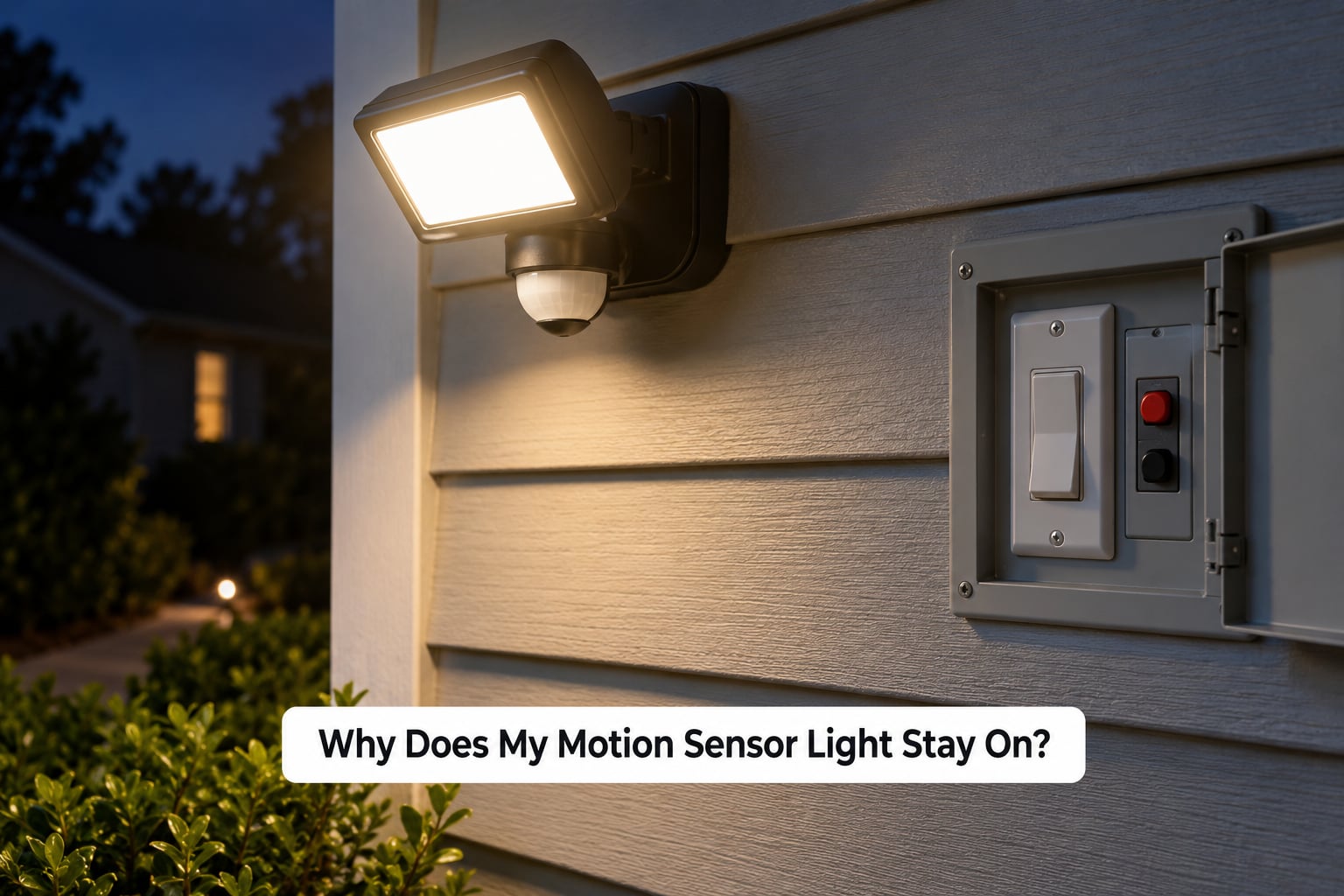
It stays on because the sensor never reaches what the manual calls a quiet state. A passive infrared sensor watches its coverage cone for changes in infrared heat, and every detection restarts an internal countdown. A photocell on the same board decides whether it is dark enough to run at all. The lamp goes out only when the cone sees nothing new for the whole time delay.
So a light that stays on is telling you one of four things: something keeps moving in the cone, the countdown is set so long you will never see the end of it, the photocell is being fooled into permanent darkness, or the electronics holding the relay closed have latched. That last one is why a power cycle sometimes fixes a light that has been stuck for weeks.
| Time delay setting | Typical range | What it looks like when set too high |
|---|---|---|
| Test | 5 to 10 seconds | Light drops the moment you step away, which can read as a dead sensor |
| Short | 15 to 60 seconds | Rarely causes a stuck-on complaint |
| Medium | 1 to 5 minutes | Normal for driveways and gates |
| Maximum | 5 to 30 minutes | Walk into the house and come back and it is still burning |
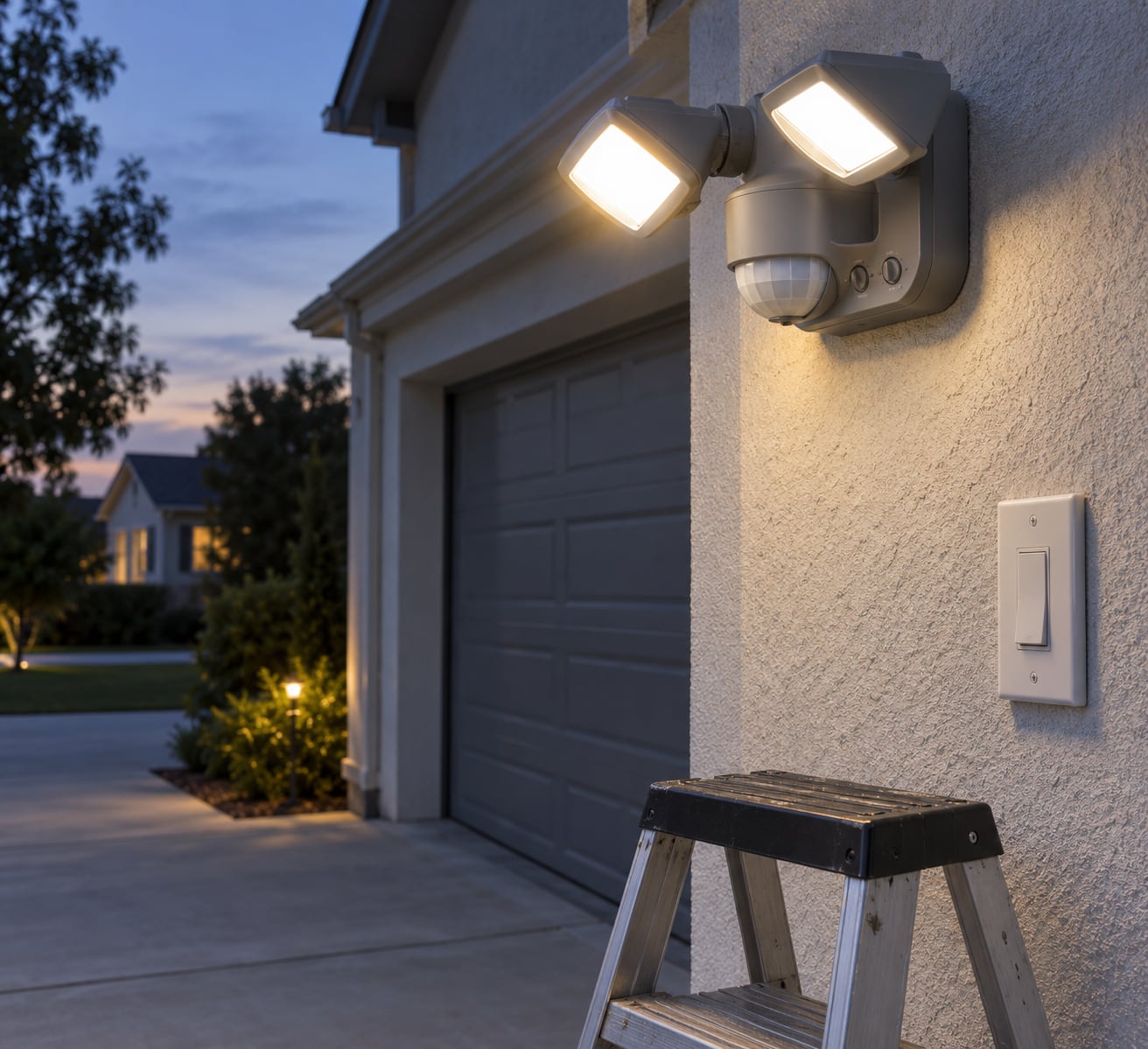
If your fixture has a knob or a row of dip switches inside the sensor housing, that is where the delay lives. Most sit in the middle out of the box, which surprises people who assume a new light should behave like a switch.
How to Tell Whether the Light Is Really Sensing Motion
Before you start changing things, work out which of two problems you have. The distinction saves most of the time, because the two branches point in opposite directions.
Branch one: it has been stuck on since the day it went in. That points at manual override, a maximum time delay, or a fixture whose sensor is aimed straight at a road, a vent or a tree. Settings and aiming fix almost all of these.
Branch two: it worked normally, then started staying on. A sudden change after years of service is usually the photocell, a surge that knocked the electronics into a stuck state, or an LED driver giving up. A r/DIY thread describes exactly this pattern on an outside sensor light that had run fine for years, with the mains reset already tried and no luck. A Canadian Woodworking thread points the same direction from the other side, blaming sensor failure after several years of service.
Whichever branch you are on, run the same three tests:
- Stand well outside the coverage cone, usually 15 feet or more from the wall, and wait out the full time delay. If the light goes dark, the sensor is working and the problem is what it is detecting.
- Walk across the cone at walking pace. Most PIR sensors are far more sensitive to movement across their field than movement toward it, which is a well-known quirk people misread as a dead sensor.
- Cover the sensor lens completely with an opaque cloth or tape for a minute. If the light is on because of daylight sensing, covering the photocell will not change anything and you have found your culprit.
If it never goes dark no matter how long you wait, and the settings are at minimum, the sensor is latched or dead. That is the point to move to a reset.
8 Common Causes and Fixes
Each cause below lists how to confirm it and what to change. Work down the list rather than jumping to the last one, because the first three account for most reports.
1. It is latched in manual override
Cause: Flipping the wall switch quickly, or flipping it repeatedly, puts many fixtures into a latched-on mode where the sensor is bypassed entirely. The light then behaves like an ordinary switch, which is why it never responds to anything.
Fix: Turn the switch off and leave it off for 30 to 60 seconds, then turn it back on once. That pause lets the sensor discharge so the next on-command reads as a fresh start rather than a toggle. This is the same trick used to make a sensor light stay on permanently, and it works in reverse.
2. Something in the detection zone keeps triggering it
Cause: A tree branch, a passing car, a neighbour’s security camera light bouncing off a wall, a vent blowing warm air, or an animal that visits every night. The countdown restarts on each detection, so the light never sees a quiet window.
Fix: Cover the lens, then walk the perimeter of the cone to find what is inside it. Re-aim the sensor, reduce range, or cut sensitivity until the cone stops covering the road. A rubber wedge or a screw on the bracket makes aiming possible without rewiring.
3. The time delay is set to the maximum
Cause: A 20-minute delay on a light with a moderate detection area looks identical to a stuck sensor. You walk inside, expect darkness, and come back an hour later to find it still burning.
Fix: Set the delay to its minimum while you test, confirm the light goes out, then raise it to a sensible value such as 60 seconds to 3 minutes. Corridors and gates justify longer; a porch light does not.
4. The photocell is fooled, or dusk-to-dawn mode is switched on
Cause: A dirt-coated photocell reads darkness all day. Fixtures with a dusk-to-dawn switch deliberately ignore motion once they decide it is night, and stay lit until daylight returns.
Fix: Clean the photocell lens, and check the TEST and dusk-to-dawn switches on the sensor. Many fixtures put them in the same row, and it is easy to leave one in test position.
5. The lens is dirty, covered or blocked
Cause: Dust, spider webs, a wasps nest, a paint splash, or a new fixture mounted under an eave where rain runs down the lens. A blocked Fresnel grid means the sensor sees a constant, unchanging picture and behaves oddly in both directions.
Fix: Wipe the lens with a dry or lightly damp cloth while the breaker is off, and clear any gap behind the fixture that lets insects nest. Check again after a few weeks, since summer conditions return to this problem every year.
6. A power outage or surge left the sensor stuck
Cause: This is why does my motion sensor light stay on after a storm, an outage, or a breaker trip. The relay inside the sensor can latch closed, and the fixture has no memory of which state it should be in.
Fix: Do the full power cycle rather than flicking the wall switch. Turn the switch off, then trip the breaker for that circuit, wait 30 to 60 seconds, restore the breaker and switch the light back on. A genuine surge leaves a reset button or a small cut-out on the back of the sensor on many fittings, and that button clears the latch too.
7. The wiring does not support the override the way you expect
Cause: On a two-wire fitting the wall switch is the only control, so a quick off-on latches the light permanently. On a three-wire fitting with a dedicated sensor lead, a bad or loose connection at the sensor can leave the fixture powered on continuously, because the sensor thinks it is in auto and never releases the line.
Fix: Check the switch and the sensor connections while the breaker is off. If your light is three-wire and the connections are firm, treat it as an electrician job rather than a DIY job. Loose neutral connections also show up as a light that flickers and stays lit.
8. An incompatible LED bulb, a failing driver, or a dead sensor
Cause: Some sensor fixtures expect a specific lamp type and driver, and a mismatched LED can hold the output on or keep the relay engaged. Alternatively the sensor board has simply failed, which is the outcome reported on long-running outdoor fittings in homeowner forums.
Fix: Fit the lamp the manufacturer specifies, and confirm the fixture works in test mode. If it lights instantly and ignores motion in every mode, with clean lenses and correct settings, the sensor or driver is the problem and replacement is the realistic fix.
How to Fix a Motion Sensor Light That Stays On
Work through this in order. Most people stop at step two and the light behaves itself, and the steps cost nothing.
- Turn the breaker off for the circuit and confirm the fixture is dead. Use a non-contact voltage tester or a multimeter if you have one. Do this before touching the sensor housing, the lens or any wiring.
- Clean the lens and photocell. A dry cloth on the outer grid and the small light sensor next to it resolves a surprising share of complaints, especially ones that start in spring when the pollen arrives.
- Do the 60-second reset. Switch off, leave it off for 30 to 60 seconds, switch on once. The wait is the part people skip. The sensor capacitors need that time to discharge, and switching on too early just re-latches it.
- Set the delay to minimum, then reduce sensitivity and range. Test the light in that state before deciding anything is broken.
- Confirm the mode switches. TEST, AUTO and any dusk-to-dawn switch should all be in the position the manual describes for normal operation.
- Inspect the accessible connections. With the breaker still off, check that the wiring into the fixture and the sensor are tight and undamaged.
- Watch it for one full time delay. If it shuts off once motion stops, the job is done. If it never shuts off in any mode, the sensor or driver has failed.
| Setting | Symptom when mis-set | Where to find it |
|---|---|---|
| Time delay | Light runs long after you leave, or drops almost instantly | Knob, or dip switch row inside the sensor housing |
| Sensitivity | Runs constantly from traffic, pets or hot air | Second knob or dip switch, often marked SENS |
| Range | Reaches the road or a neighbouring window | Range dial, or by aiming the sensor head |
| Photocell / dusk to dawn | Light runs all day, or never turns on at night | Small sensor on the faceplate, or a mode switch |
| Test mode | Light drops after a few seconds and readers assume it is faulty | Switch marked TEST, often next to the dip switches |
Follow the manufacturer’s manual for anything beyond these external adjustments. Outdoor fixtures carry moisture seals and grounding that are easy to compromise, and a light that is stuck on is not worth the repair if the fix is cutting a wire.
What If the Light Stays On When Nobody Is Nearby?
Persistent false detection is a coverage problem, not a broken sensor. The fix is to narrow what the cone can see, and you rarely need to change the unit to do it.
Moving branches and foliage. A tree within a few feet of the sensor resets the countdown constantly, worse in wind. Tighten the range and swing the head away from the canopy.
Vehicles and reflected light. A street with traffic, or a neighbour’s sensor light washing across your wall, will hold a wide-angle PIR on indefinitely. A cardboard mask over part of the lens is a cheap way to test which side is responsible.
Heat sources. Outdoor air vents, dryer exhaust, hot water pipes and even a bird can trip a PIR sensor. Warm air rising from a vent is a repeat offender on garage and side-wall fittings.
Animals. Bats, raccoons and cats trigger the same mechanism as a person. Raising the sensor higher narrows the vertical field so it looks past the fence line rather than over it.
Insects inside the housing. A warm fixture draws insects that move in front of the warm lens and hold the light on. Sealing the housing joint with a strip of closed-cell foam cuts that off without blocking the sensor grid.
A quick way to test all of this is to cover the lens for a minute while the light is on. If it goes out and stays out, the sensor is healthy and the trigger is environmental, so aim, mask, or lower the sensitivity. If covering the lens changes nothing, the cause is electrical, and you go back to the reset and the wiring checks.
When Should You Replace the Sensor or Light?
Several symptoms mean the fixture has reached the end of its service life. A Canadian Woodworking thread on a flood light that stayed on concluded the sensor had simply failed, and outdoor units are built for less service life than indoor ones because of moisture and temperature cycling.
- A failed photocell. The light stays on all day in any weather, or never comes on at night, and cleaning changes nothing.
- A cracked or clouded sensor lens. Water gets in, the grid goes milky, and the detection area shifts or fails entirely.
- Water ingress at the housing joint. Rust, a damp smell, a green or white deposit, or corrosion on the mounting screws.
- Flickering that the switch does not explain. Especially flicker that starts as the light is switching off, which usually points to the driver rather than the sensor.
- One mode only. Manual operation works, automatic does not, or the light responds to the switch while ignoring every movement in front of it.
- Visible heat, scorch marks, or a breaker that trips when the light comes on. Stop and call a licensed electrician. That is not a sensor fault, and it is the clearest signal in this whole guide to put the tools down.
Replacing the whole fixture is usually more practical than replacing just the sensor. Most consumer motion sensors are sold as part of the fixture, the part is rarely stocked separately, and the wiring work is the same either way. The exception is a high-end fixture where the manual lists a replaceable sensor module, which is worth checking before you buy a whole new unit.
Call an electrician when the fixture is high up, over a stairwell, or when the problem involves anything behind a switch plate. Hard-wired work, adding a new circuit, and anything with three-wire control fall outside comfortable DIY territory, and a licensed electrician will do it in an afternoon.
Frequently Asked Questions
Why does my motion sensor light stay on during the day?
A dirty photocell is the usual reason. When the light sensor is coated with dust, grime or pollen it reads the fixture’s own output as darkness and runs all day. Clean the lens, confirm the TEST and dusk-to-dawn switches are in the right position, and check the time delay. If the light still burns in daylight after cleaning, the photocell has failed and the fixture needs replacing.
Why does my motion light stay on after I turn it off?
On many fixtures, flipping the switch off and on quickly latches the light into a permanent-on mode that bypasses the sensor. Turn the switch off and wait 30 to 60 seconds before switching it back on once. That pause lets the sensor discharge. If the light stays on after a normal, unhurried off and on, the sensor board has latched from a power interruption and needs a full breaker-level reset.
How do I reset a motion sensor light?
Turn the wall switch off and leave it for 30 to 60 seconds, then turn it back on once. If that does not clear it, switch off at the wall and trip the breaker feeding the circuit, wait the same minute, then restore power. Many fixtures also carry a small reset or test button on the back of the sensor. On a hard-wired unit, repeat the breaker step several times before suspecting the sensor.
Why does my solar motion light stay on all night?
On solar fittings the light often stays dimly on because the panel has not charged it, and the controller keeps the LED at a low output rather than switching it off. Check that the panel is clear of leaves and facing the sky, and that the pull tab on the battery has been removed. If the battery is old it will not hold a charge overnight, so the unit runs down and never reaches its normal brightness or duration.
What does the TEST mode on a motion light do?
Test mode overrides the photocell so the sensor works in daylight, and usually shortens the time delay to around five seconds. It is meant for aiming the detection cone, not for normal use, because a five-second delay makes the fixture look broken. Leave the test switch off and clean the lens in daylight, since you will not see grime on a lens that only lights up after dusk.
Do I need an electrician to fix a motion sensor light that stays on?
Not for most cases. The reset, lens cleaning and setting adjustments are all safe homeowner jobs once the breaker is off. You do need a licensed electrician if the fixture is high up, if the wiring behind the switch plate is loose or three-wire, if the breaker trips when the light switches on, or if you see scorch marks or heat around the housing. Those are electrical faults, not sensor faults.
Start With the Quick Sensor Reset
Do the cheap things first, in this order: switch the light off at the wall, wait a full minute, and switch it back on once. Set the time delay to its minimum, clean the lens and the photocell, confirm the TEST and dusk-to-dawn switches sit in their normal positions, then walk the detection zone while the light is on. Most lights that stay on all night go back to normal after those four steps.
If it still does not shut off after a proper breaker reset, with the lens clean and the settings at minimum, the sensor or its driver has failed. That is the point to stop adjusting and either replace the fixture or, for anything hard-wired, three-wire, high up, or showing scorch marks, bring in a licensed electrician. A permanently-on light also wastes power and washes out the darkness it was installed to reveal, so it is worth putting an hour into rather than living around.