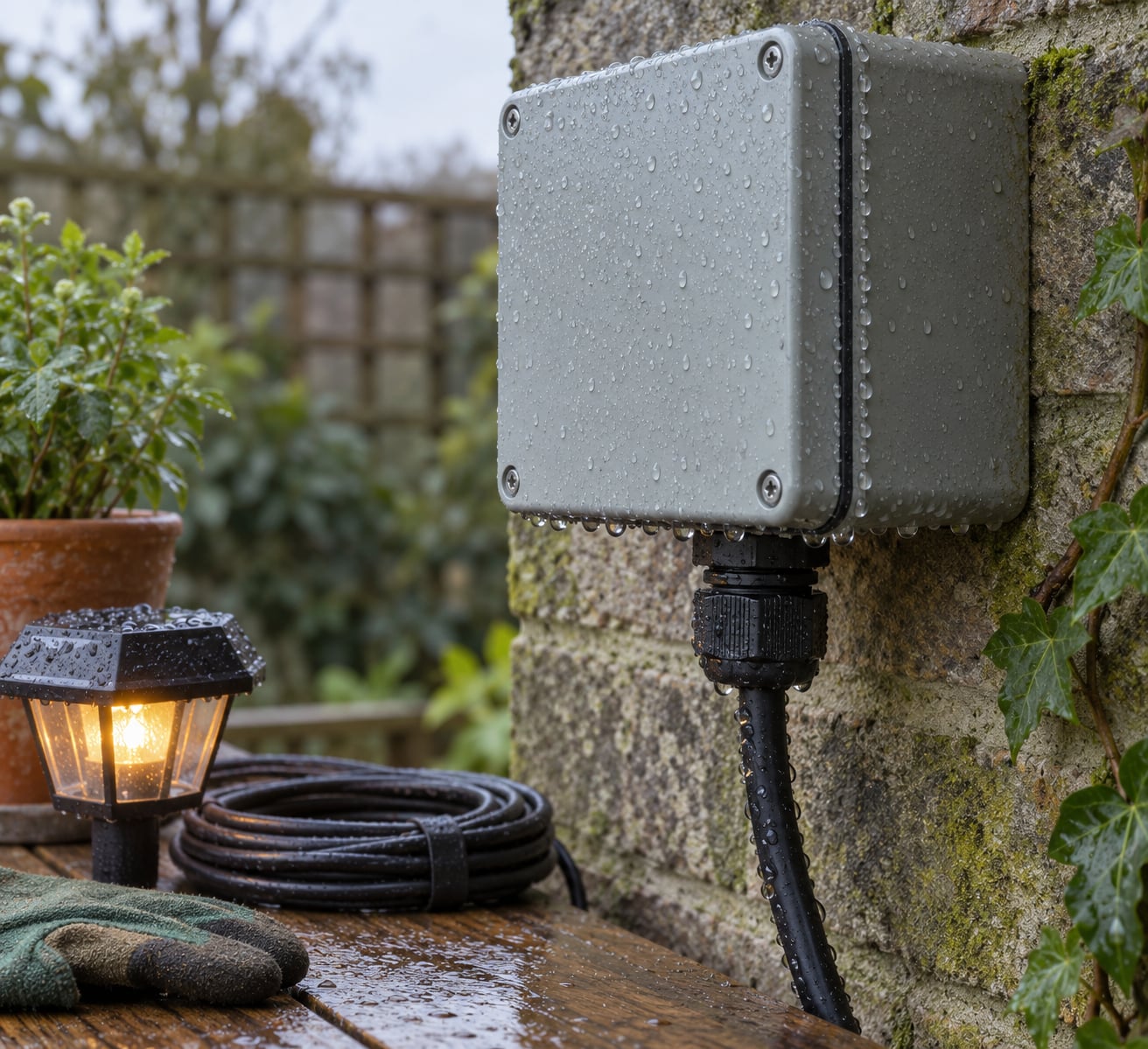
Humidity affects outdoor electronics by feeding airborne water vapour into housings, cable entries and connector gaps, where it condenses on cool surfaces and drives corrosion, leakage and sensor drift long before any liquid water reaches the circuit board. Because most ingress protection ratings test liquid water rather than water vapour, a fully sealed fixture can still fail quietly in a damp climate.
That failure is slow and almost invisible. A solar light usually works fine through its first wet season, then stops turning on one morning and never comes back. Understanding the mechanisms makes it a lot easier to prevent, or to salvage before the damage is permanent.
Table of Contents
- How Humidity Affects Outdoor Electronics
- Humidity, Condensation, and Corrosion
- How Humidity Affects Outdoor Electronics at the Material Level
- What Humidity Does to Common Outdoor Devices
- How Much Humidity Is Too High?
- Run a dew point check on your own enclosure
- How to Protect Outdoor Electronics from Humidity Damage
- What to Do When Outdoor Electronics Get Wet
- Frequently Asked Questions
- Can humidity damage electronics even when the device has an IP65 or IP67 rating?
- Is condensation inside an outdoor electronics enclosure caused by humidity?
- How often should outdoor solar lights and other devices be checked for moisture damage?
- Does a waterproof connector make an entire outdoor electronics installation safe from rain?
- Can electronics be dried and reused after they become wet?
- Conclusion
How Humidity Affects Outdoor Electronics
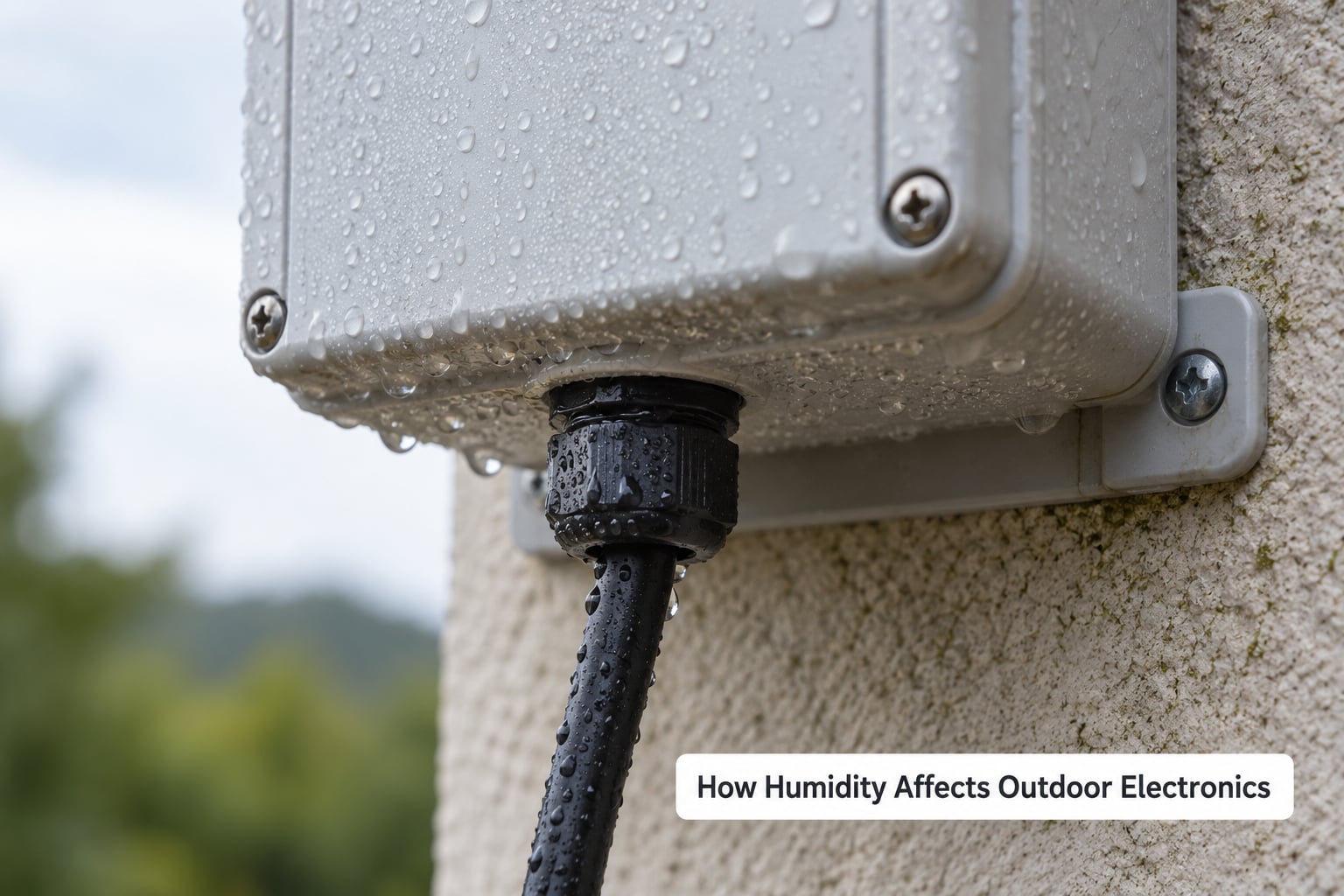
The short version: humidity and outdoor electronics are a bad combination because water vapour is everywhere in the air, metal surfaces are hygroscopic enough to attract it, and repeated wetting and drying does more damage than any single soaking. Six mechanisms account for almost every moisture-related failure.
- Condensation forming on traces, connectors and lenses when a surface drops below the air’s dew point.
- Electrochemical corrosion of copper, aluminium terminals, screws and steel brackets.
- Insulation breakdown on circuit boards and cables, which drops resistance and creates leakage current.
- Electrochemical migration, where moisture and a bias voltage slowly dissolve copper along a board surface.
- Sensor drift in photocells, motion sensors, humidity probes and cameras.
- Battery degradation, including corroded terminals and reduced charge acceptance.
Different exposures leave different fingerprints. This table maps what the weather is doing to what you will actually see on the device.
| Exposure condition | What it does to the electronics | Early warning signs |
|---|---|---|
| Warm humid air entering a cool enclosure | Droplets on internal surfaces, then corrosion and short circuits | Droplets or a water film under the cover, fogged lens, intermittent operation |
| Sustained relative humidity above 60% | Accelerated oxidation of traces, terminals and fasteners | Green or white powdery residue, stiff hinges, rust staining down the mounting post |
| Nightly temperature swings in humid weather | Repeating condensation and drying cycles on the same components | Intermittent faults that clear during the day and return at dawn |
| Humid air plus salt spray within a few kilometres of the coast | Salt residue turning the moisture film into a conductive electrolyte | Corrosion appearing within months of installation, even on sealed parts |
| Rain or hose spray on an unsealed fitting | Direct liquid entry through cable glands, screw holes and seams | Water inside immediately after rain, failed units that appear after a storm |
| Damp, unheated shed or garage storage | Slow corrosion and mould growth with no power draw to warm the parts | Musty smell, corrosion on stored fittings, batteries swollen after winter |
Humidity, Condensation, and Corrosion
Relative humidity is the amount of water vapour in the air relative to the maximum the air could hold at that temperature. Warm air holds much more than cold air, so 70% humidity in August and 70% in January are completely different situations.
Dew point is the temperature at which that air becomes saturated and moisture turns back into liquid water. Cool any surface below the dew point and it will grow dew, condensation or a fine film, no matter how well sealed the box around it is.
The condensation cycle is the part most people miss. Warm humid air drifts into an enclosure through a cable entry or a breathing vent. At night the housing loses heat quickly, the internal air cools with it, and the moment that air passes its dew point, water appears on the coolest surfaces first: metal connectors, PCB edges, the inside of a lens.
Worse, that warm air may already have been carrying moisture in when it went in. A sealed box installed on a humid afternoon can be full of nearly saturated air, which makes the first cool night the one that produces droplets.
Repeat cycles cause more harm than a single long exposure. Each wetting dissolves salts and contaminants, each drying concentrates them, and the residue left behind speeds up the next corrosion. Ten nights of light dew does more to a connector than a single rainstorm that runs off the outside.
This is what people mean by the sealed enclosure paradox. Sealing a box completely stops liquid water getting in, but it can also trap humid air inside where it has nowhere to go. A vented box with a breather membrane and desiccant inside often outlives a fully sealed one in a tropical climate, because it gives trapped moisture a slow, controlled way out.
Forum DIYers get this right without the vocabulary. On hobby electronics boards, the common answer to a sensor box in a damp garden is a desiccant or boric acid packet inside the case, and most of those boxes have a vent hole for a reason.
How Humidity Affects Outdoor Electronics at the Material Level
Plastics and composites drink moisture. Many housing materials are mildly hygroscopic, so they absorb water vapour into the surface layer and swell slightly. That changes dimensions, softens a gasket’s compression and shifts component alignment in a way you can measure only after the failure.
Metal contacts oxidise. A clean copper or plated connector surface carries current well; the moment a thin oxide or tarnish layer forms, contact resistance rises and voltage drops under load. Heat from the resistance makes it worse, which is why a marginal connection usually ends up as a dead one.
Insulation resistance falls as surfaces get damp. Board coatings, cable jackets and connector housings keep their specified resistance when dry. A hygroscopic film on top of them can drop resistance by orders of magnitude, producing leakage current along the board, phantom inputs on alarm panels and false triggers on dusk sensors.
Electrochemical migration is the slow one. With moisture present and a voltage bias between two adjacent copper traces, copper ions move from the anode to the cathode and grow into a dendrite that eventually bridges the gap. It is why boards in damp, unventilated cabinets develop green whisker-like growth.
Corrosion also hides underneath intact housings. Salt and moisture get past a single gasket or an unsealed screw boss and attack the bracket or the board mounting point from inside. The outside still looks perfect, which is exactly why teardowns of cheap outdoor solar lamps find no real seal at all, just two screws and an expectation.
What Humidity Does to Common Outdoor Devices
Each device type fails in a slightly different way, and knowing the usual first symptom tells you where to look before you replace anything.
| Device | Vulnerable parts | Early symptoms | Most useful protection |
|---|---|---|---|
| Solar garden and path lights | Battery terminals, panel edge seal, photocell, on/off switch | Light stays on all night, then stops lighting at all; corrosion on the cell contacts | Keep the battery compartment dry, use fresh cells with clean contacts, wipe terminals yearly |
| Solar controllers and power supplies | Terminal blocks, PCB, cable entries | Controller blinking error codes, no charge indication, visible green residue | Sealed IP-rated enclosure, glands facing down, terminal torque checked annually |
| Outdoor security cameras | Lens seal, IR LED board, microphone port, cable gland | Fogged or hazy lens, blurred night video, image drifting after a damp night | Hydrophobic lens coating, dry silica packet, gasket check and lens wipe each season |
| Outdoor speakers and audio | Driver surrounds, terminal cups, crossover board | Rattly low end, intermittent crackle, one channel cutting out in wet weather | Marine-grade drivers, drip loop on the cable, drainage path clear of debris |
| Motion and photocell sensors | Lens, PIR element, internal PCB | Flickering on at dusk, false triggers all night, failing to switch off | Desiccant inside the housing, conformal coated board, shade from direct sun |
| Low-voltage garden lighting and string lights | Unsealed inline connectors, transformer, timer plug | Segments flickering, transformer warm to touch, plugs green at the pins | Use IP-rated inline connectors, keep joints above ground, never bury a non-rated joint |
| Pumps and irrigation controllers | Seal faces, float switches, terminal blocks | Pump running constantly, erratic start, corrosion on submerged metal | Stainless 316 hardware, sealed control box, keep vents above the water line |
Solar equipment deserves its own note. A damp panel picks up a thin moisture film that scatters light and cuts output, and the same damp heat lowers charge acceptance in the battery, so a partially charged night becomes a dark night. Corroded battery terminals add a resistance that the controller sees as a fault. Put together, those three effects explain a lot of solar lights that fade early and then quit.
How Much Humidity Is Too High?
There is no single pass or fail humidity number, because the same reading is harmless on a cool night and destructive on a warm day, and it matters far more on a poorly sealed box than a well engineered one. What follows is a practical risk map, not a universal spec.
| Relative humidity | Risk level | What tends to happen |
|---|---|---|
| Below 50% | Low | Little to no moisture-driven damage; normal indoor conditions |
| 50-60% | Baseline wear | Slow oxidation on unprotected metal; the point where maintenance starts paying off |
| 60-70% | Elevated | Noticeably faster corrosion of traces, connectors and fasteners, especially with salt residue present |
| 70-80% | High | Significant corrosion and insulation resistance loss; continuous damp cycles are common at night |
| 80-90% | Very high | Condensation likely on any surface cooler than the air, including PCB edges and connectors |
| Up to 95-96% non-condensing | Manufacturer spec ceiling | Many outdoor photocells and controllers are rated to 96% relative humidity non-condensing; the rating assumes no water forms on surfaces |
So is 70% humidity too high for electronics? As an ambient figure it sits above the safe zone for most equipment, and sustained exposure at that level accelerates corrosion and insulation degradation, particularly with temperature cycling. A device rated non-condensing at that humidity will cope better than an unrated one, but the rating never removes the need for sound sealing.
Non-condensing is the phrase to look for on a datasheet. It means the manufacturer has allowed for that ambient humidity but assumes every internal surface stays above the dew point. That assumption breaks the moment the enclosure is in shade all day and cools below the stated temperature, which is why an enclosure in a humid climate still needs a vent, a desiccant or both.
Run a dew point check on your own enclosure
You can do this without any equipment beyond a cheap hygrometer and a thermometer. Read the outdoor relative humidity and air temperature, then look up the dew point for those two numbers on any dew point chart, or use a weather app that reports it directly. Compare that dew point with the coolest surface temperature your enclosure reaches overnight, which you can estimate from the overnight low and how shaded the box is.
If the surface temperature drops below the dew point, that enclosure will condense. That is your signal to add a breather membrane, a desiccant packet or a shade change, and it turns a vague worry into a specific fix.
Climate zones differ mainly in how long equipment stays above those thresholds. Humid tropics keep relative humidity high around the clock, coastal zones add salt that turns every film conductive, arid zones swing wildly between dry days and dew-heavy nights, and temperate climates give most devices a comfortable season before stressing them through autumn and winter.
How to Protect Outdoor Electronics from Humidity Damage
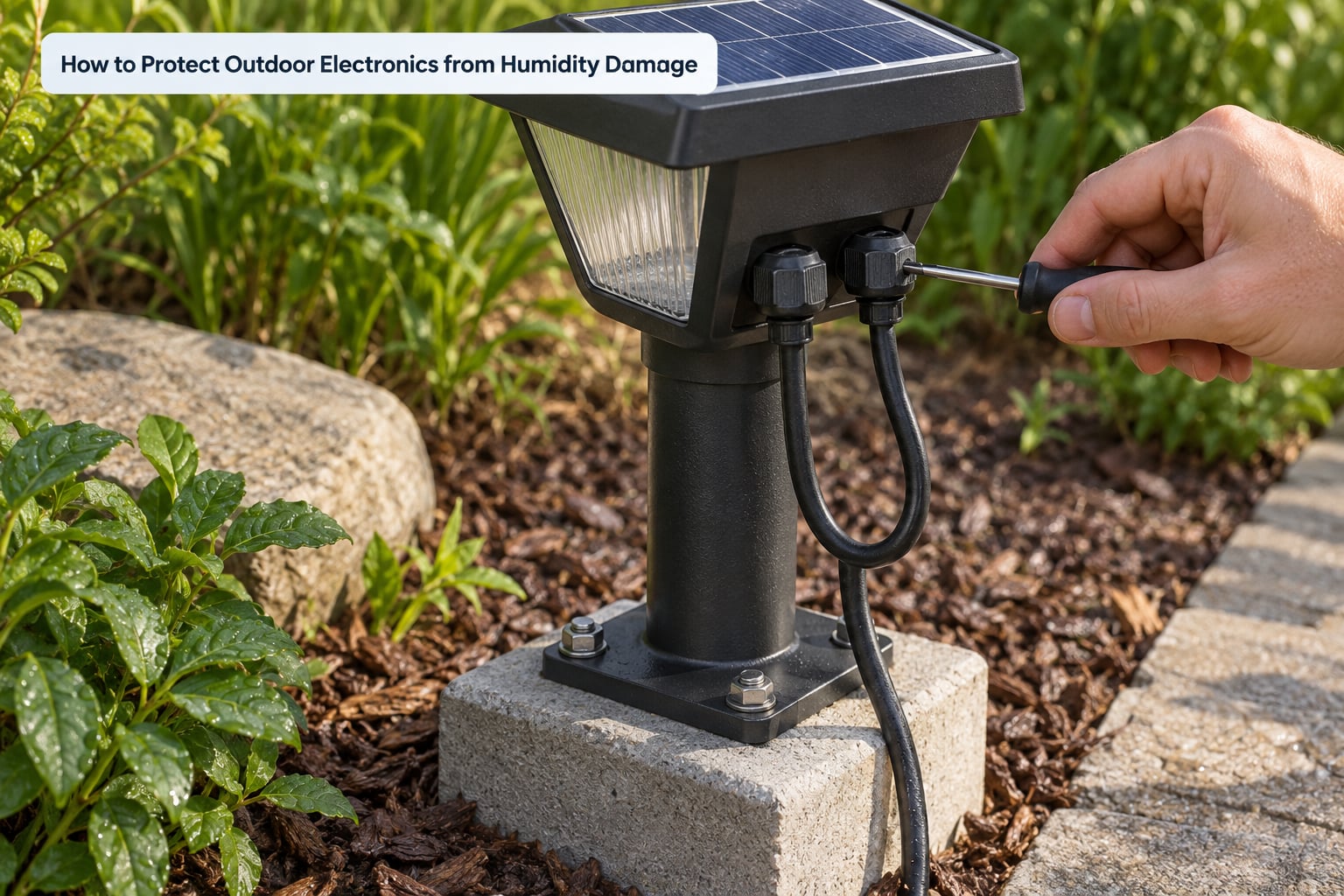
Protection works in layers, and the order matters. Start by checking the ingress rating, then remove every path water and vapour can use.
- Check the IP rating against the exposure. The first digit covers solids, the second covers water. See the table below for what each level actually guarantees.
- Verify the seals rather than trusting the label. Budget fixtures often have no gasket at all, or a single gasket with one leak path. Feel around the gasket line with a finger and look for gaps at screw holes.
- Point cable entries downward and use IP-rated cable glands. A gland with the cable leaving the top of the box collects every drop that runs down it.
- Seal unused ports. An unplugged vent or a missing gland is an open hole, not a feature.
- Use connectors rated for the environment rather than twisting wire together or using a domestic plug joint outdoors. Keep dissimilar metals apart, or isolate them, so galvanic corrosion does not eat a fitting from the inside.
- Give trapped moisture a way out. A breather membrane equalises pressure while keeping liquid water out, and a desiccant packet inside absorbs what gets in. On hobby sensor boxes, DIYers use boric acid for the same job.
- Protect the board itself with a conformal coating when you open the enclosure anyway. It does not replace a gasket, but it survives the condensation night that gets past one.
- Keep water draining away. Mount equipment above the soil line or on a base that drains, clear leaves and mud from drainage holes, and keep vents clear.
- Protect batteries and storage. Store seasonal equipment dry and ventilated indoors rather than in a damp shed, and remove batteries from gear that will sit unused for months.
- Inspect on a schedule. Twice a year and after any severe storm: clean the panel and lens, check the gasket line, look for corrosion, and confirm every gland is still tight.
The IP table matters here because the ratings are widely misread.
| Rating | What it guarantees | What it does not guarantee |
|---|---|---|
| IP44 | Solid objects over 1mm and splashing water from any direction | Jets, immersion, water vapour or condensation inside the case |
| IP54 | Dust protected and water splashing; common on photocells and controllers | Heavy rain, pressure washers, internal condensation |
| IP65 | Dust tight and protected against water jets | Vapour, condensation, corrosion over a 5 to 10 year service life |
| IP66 | Heavy jets with increased pressure, used on marine-grade fittings | Anything about ambient humidity or salt residue on the surface |
| IP67 | Dust tight and protected against temporary immersion | Standing water indefinitely, or humid air trapped inside |
| IP68 | Dust tight and protected against continuous immersion at a stated depth | Condensation, or a lifetime of corrosion with the housing intact |
Every rating on that page is defined under IEC 60529, and every one of them is a test of liquid water and solids. None of them is a humidity test, which is the single most common misunderstanding on this topic.
What to Do When Outdoor Electronics Get Wet
Speed matters, but so does patience. Warm air over a wet board causes damage that time alone would not.
First, make it safe. Switch off and isolate the supply at the breaker, then confirm the circuit is dead before touching anything. Where mains wiring is involved, work through the isolation steps properly rather than assuming. Removing the device from a live solar circuit is straightforward; opening any mains-fed enclosure is not.
Second, open it only if you can reseal it afterwards. A gasket that has been lifted is no longer a gasket, and an enclosure you cannot close will do more harm than the damp you are trying to fix.
Third, dry it slowly and cool. Remove batteries, rinse only if the device is clearly designed for it, and let the part air dry at room temperature with airflow for a day or two. Skip the hair dryer, the oven and the sunlit windowsill: heat drives moisture deeper into laminates and warps boards while the inside is still wet.
Fourth, do not power-test a wet device. That is how a repairable corrosion problem becomes a failed board and a possible safety hazard.
Fifth, clean and inspect. White vinegar and a soft brush work on battery terminal corrosion; isopropyl alcohol and a lint-free swab handle PCB residue. Look for green powder, white bloom on metal, swollen or leaking cells and green whiskers between traces. Corrosion confined to a battery terminal or a connector is usually a clean-and-reuse job.
Last, know when to stop. Smoke or a burnt smell, a swollen or leaking lithium pack, corrosion on mains terminals, or any damage inside a wiring junction calls for a qualified electrician or solar installer rather than a screwdriver. Continued operation is also the thing to weigh: an intermittently working device in a damp enclosure is often past the point of saving.
Frequently Asked Questions
Can humidity damage electronics even when the device has an IP65 or IP67 rating?
Yes, because IP ratings under IEC 60529 test liquid water and solids, not water vapour. An IP65 enclosure keeps rain and jets out but can still trap humid air at installation, which condenses on internal surfaces once the housing cools below its dew point. Sustained relative humidity above 60% then corrodes terminals and lowers insulation resistance inside a housing that looks perfectly sealed.
Is condensation inside an outdoor electronics enclosure caused by humidity?
Almost always. Warm humid air enters the enclosure, cools overnight as the housing loses heat, and when that air passes its dew point water forms on the coolest surfaces inside: connectors, board edges and lens interiors. Salt residue or dust in the film turns it conductive and corrosion begins. This is why a breather membrane plus a desiccant packet outperforms a fully sealed box in humid climates.
How often should outdoor solar lights and other devices be checked for moisture damage?
Twice a year is the usual recommendation: once before the wet season and once after it, plus a check after any severe storm. At each inspection wipe the panel and lens, look for corrosion on battery terminals and mounting hardware, test the gasket line for gaps, and confirm cable glands are still tight. Seasonal gear stored in a shed or garage should be looked at monthly during storage.
Does a waterproof connector make an entire outdoor electronics installation safe from rain?
No. A connector is one point in a chain that includes housing seams, screw bosses, unused ports, mounting brackets and the cable itself. Most rain-related failures in garden lighting and solar equipment start at an unsealed cable entry, a missing gland or a twisted wire joint, not at the connector. Specify every part of the path for the environment, and face entries downward so water cannot run along the cable into them.
Can electronics be dried and reused after they become wet?
Often yes, if you act quickly and the corrosion is light. Disconnect the power, remove any batteries, let the unit dry at room temperature with airflow for a day or two, then clean the corrosion and check for swollen cells. Never use direct heat or test the unit while it is still damp. If corrosion has reached the traces, the battery terminals or the lens seals, replacing the device is usually cheaper than the repair.
Conclusion
Understanding how humidity affects outdoor electronics changes what you look at first. Match the enclosure and its components to the climate rather than to the marketing label, remove every moisture path you can find, and give trapped air a controlled exit through a breather membrane and desiccant.
Then check it twice a year and after every bad storm. Most of these failures are slow, quiet and entirely preventable, and the ones you catch early cost a wipe and a gasket, not a replacement.